
حركات · عربي · Latin
Read any
Arabic.
Instantly.
The free Arabic transliteration and OCR app for iPhone. Type it, paste it, or point your camera at it — get the Latin reading with full harakat in a tap.

Free · On-device · No account · Native iOS
What it does
Four ways to read Arabic with confidence.
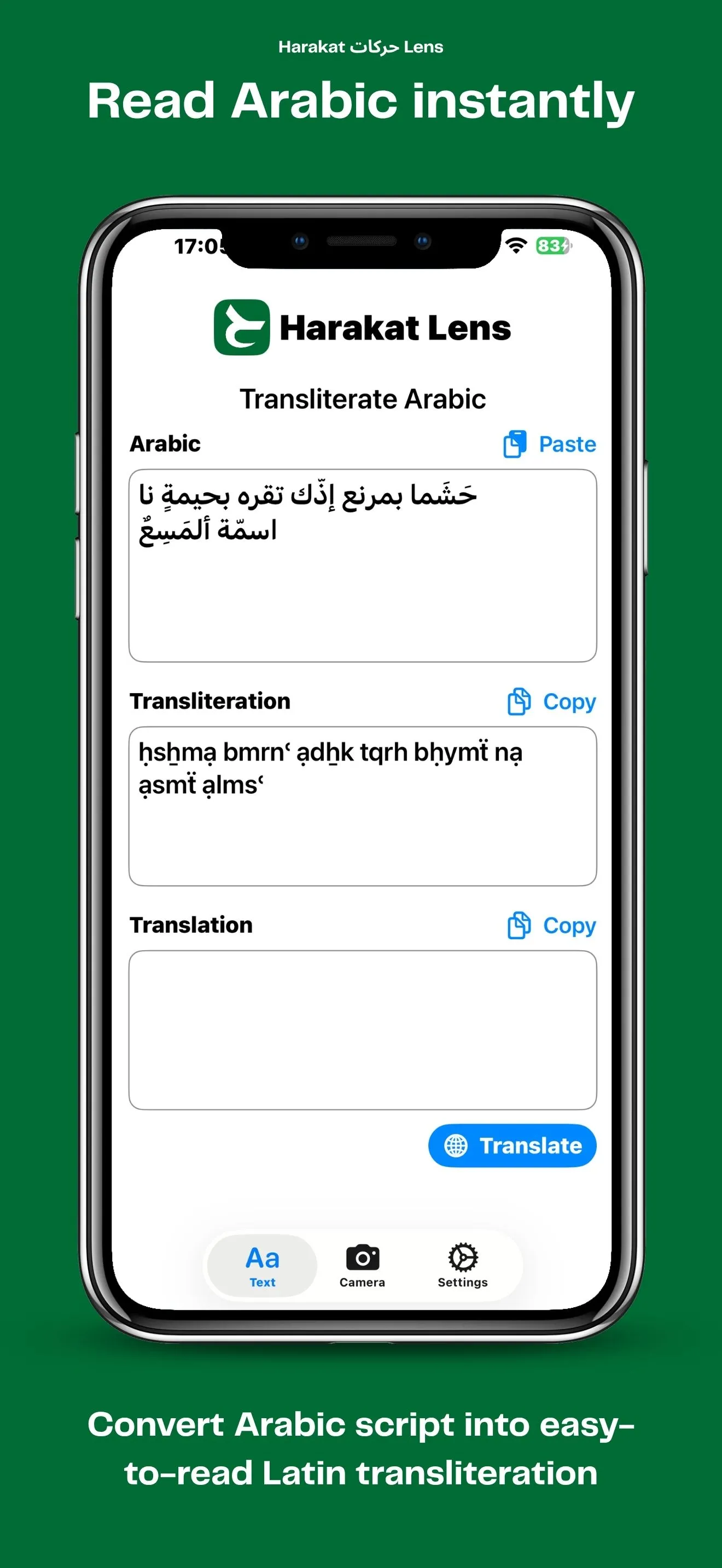
Harakat transliteration
Convert Arabic script into accurate Latin transliteration with full harakat (diacritics) — so you pronounce every vowel correctly, even if you don't read the Arabic alphabet yet.
Live camera OCR
Point your phone at a sign, menu, or book page. Apple Vision reads Arabic in real time and overlays each line with its transliteration. Works on gallery photos too.
Quran verse matching
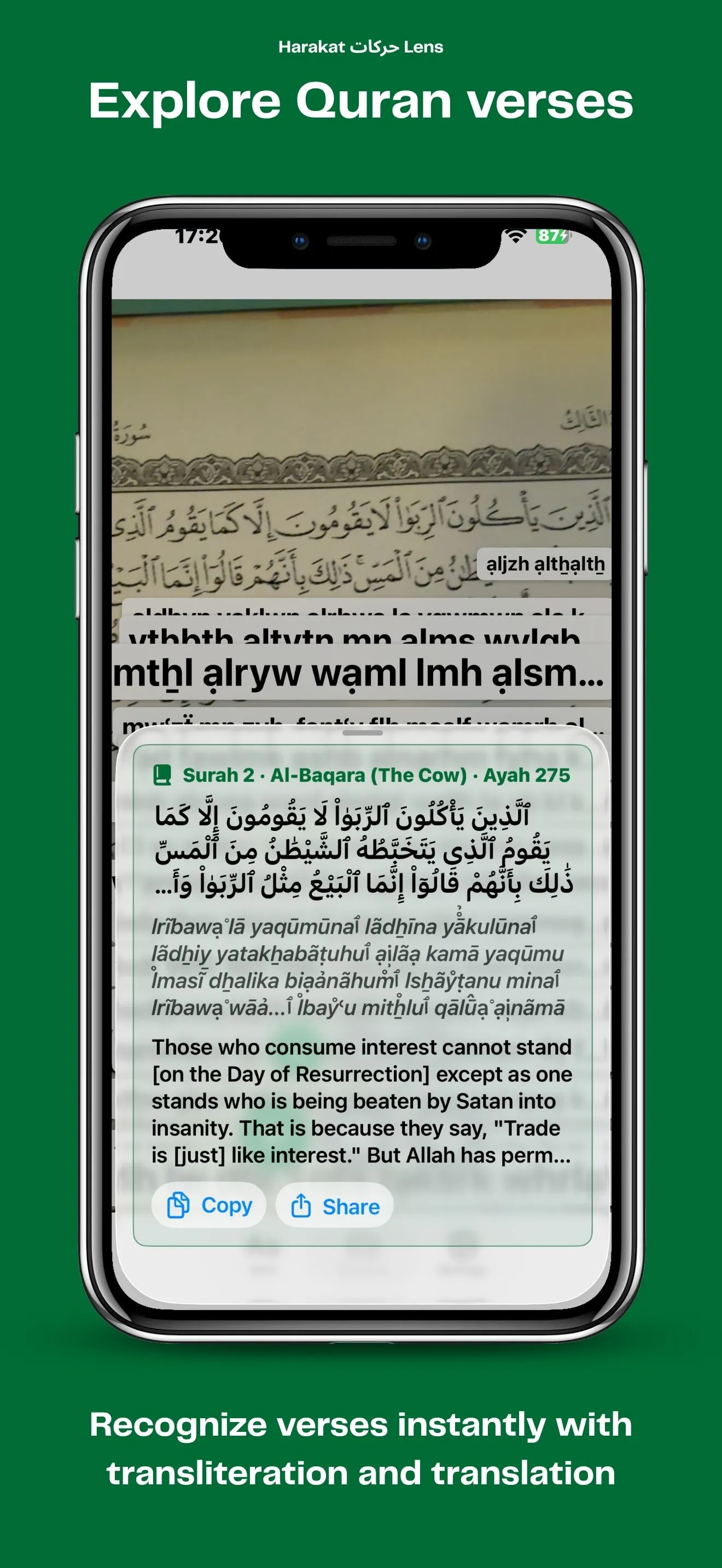
Quran mode detects scanned verses and matches them against the full Quranic text, showing the canonical reading alongside the translation and recitation.
On-device translate
Translate Arabic into your language locally with the iOS Translation framework — no internet, no servers, no account. Your text and images never leave the phone.
See it in action
From characters to camera, in one tap.
Transliterate Arabic in seconds
Harakat Lens is a free, native iOS app that turns Arabic script into accurate Latin transliteration with full harakat (diacritic) support. Paste or type any Arabic text — a sentence, a sign, a chat message, a Quranic verse — and read it back in Latin characters so you can pronounce every word correctly, even if you don't yet read the Arabic alphabet. Non-Arabic characters such as Latin letters, numbers, punctuation and emoji are preserved in place, so mixed-language text stays readable.
The app is built natively for iPhone and iPad with SwiftUI, using Apple's on-device OCR and translation engines for speed, privacy and offline support. It feels at home on iOS and keeps your scans on the device.
Scan Arabic text with OCR from photos and live camera
Point your phone at an Arabic sign, restaurant menu, book page or product label and Harakat Lens will read the text for you. The OCR engine — Apple Vision — recognizes Arabic in real time from the camera feed, and you can also pick a photo from your gallery. Each detected line is shown with its transliteration, making it easy to study, pronounce, or look up unfamiliar Arabic on the spot.
Match and read Quran verses
A dedicated Quran mode automatically detects scanned or typed verses and matches them against the full Quranic text. When a verse is recognized, Harakat Lens shows the canonical reading alongside the surah and ayah reference, the translation, and audio recitation — turning your phone into a pocket companion for studying the Quran.
Translate Arabic to your language
Beyond pronunciation, Harakat Lens can translate Arabic text into your preferred language using the on-device iOS Translation framework. Translations run locally once the language pack is downloaded, so the feature works offline and never sends your text to a third-party server.
Who is it for?
- Arabic learners who need quick, vowelled readings while studying.
- Travelers in the Arab world who need to read signs, menus and labels.
- Muslims who want to identify, read and listen to Quran verses on the go.
- Anyone who receives Arabic messages, documents or photos and wants to understand them.
Key features
- Arabic to Latin transliteration with full harakat (e.g. marḥaban for مَرْحَبًا).
- OCR from photos and from the live camera feed, powered by Apple Vision.
- Quran mode with automatic verse matching, translation and recitation.
- On-device translation with the iOS Translation framework — works offline.
- Mixed Arabic and Latin text preserved in place.
- No account, no servers — your scans stay on the device.
- Native iOS (SwiftUI) app for iPhone and iPad.
Why it is called Harakat Lens
Harakat (حركات) are the short-vowel diacritics of the Arabic script — the marks that tell you exactly how a word is pronounced. Lens is the camera that reads them for you. Together they describe what the app does: look at Arabic through your phone and see it come back fully vowelled and ready to read.